
How It Works
Discover How AI Language Models See Your Brand
See how leading AI models understand your brand what they know, what they miss, and how to improve it. LLMtel connects directly to top LLMs (e.g., ChatGPT, Claude) and turns their answers into actionable insights.
Follow these steps:
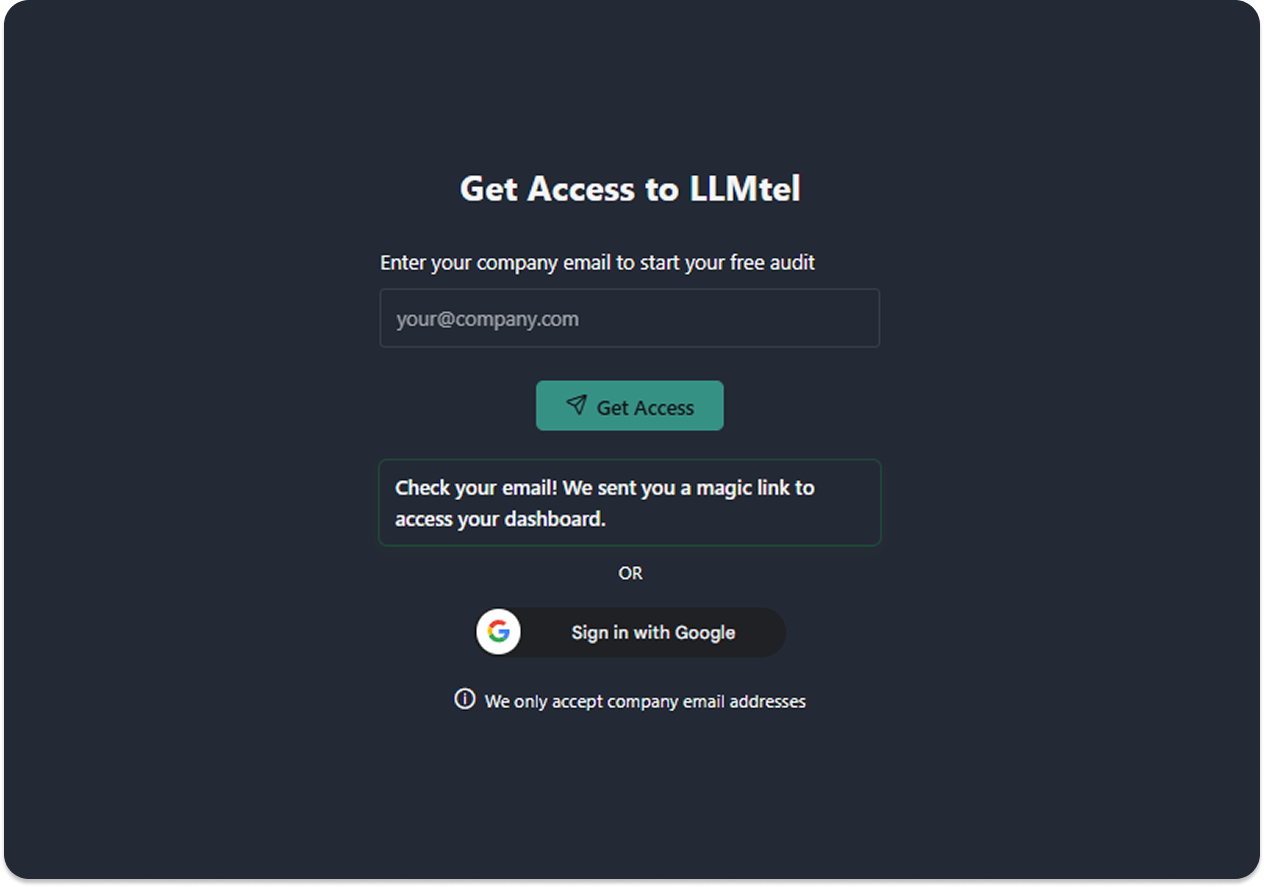
Step 1: Access Your Dashboard
Getting started is easy. Just enter your company email address to receive a magic login link, no passwords required. You’ll get immediate access to your secure dashboard, where you can run audits and review reports.
Step 2: Set Up Your Audit
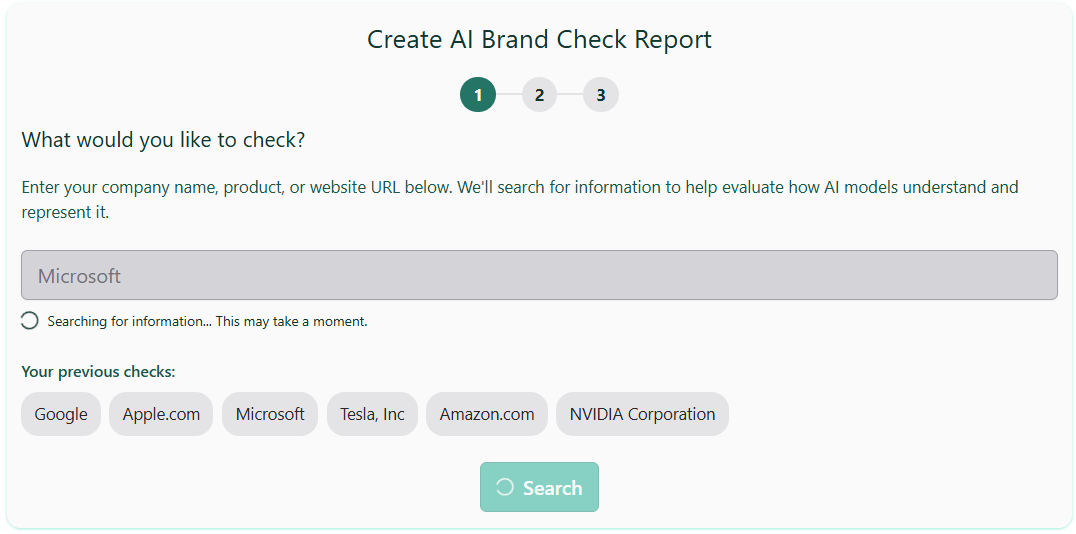
We do the research.
Click Search and LLMtel gathers public information about your entity and produces a concise summary.
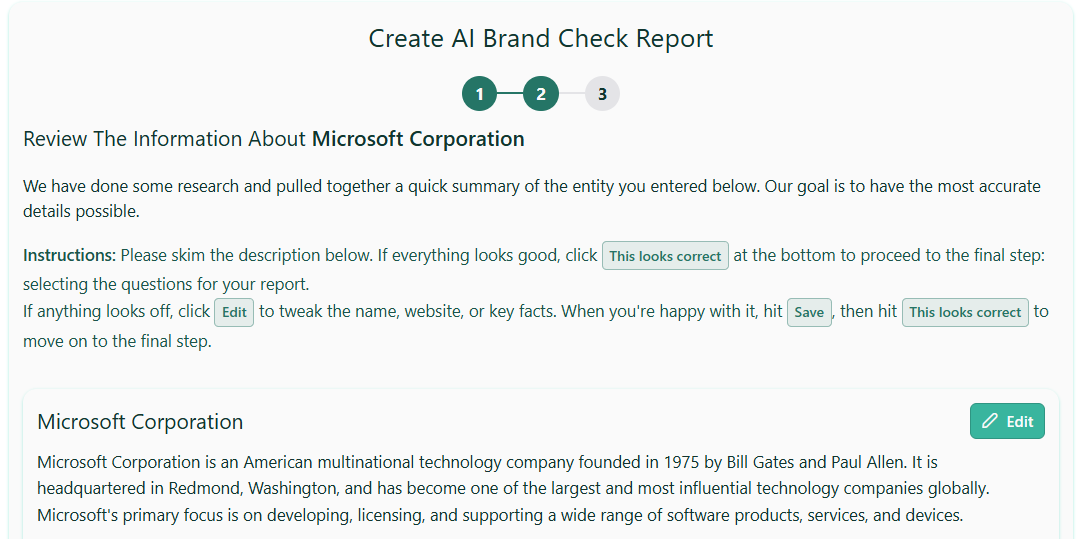
Confirm the source of truth.
Review and edit the summary so it’s accurate this is the reference we’ll use to evaluate how correctly each model “knows” your entity. Save your changes.
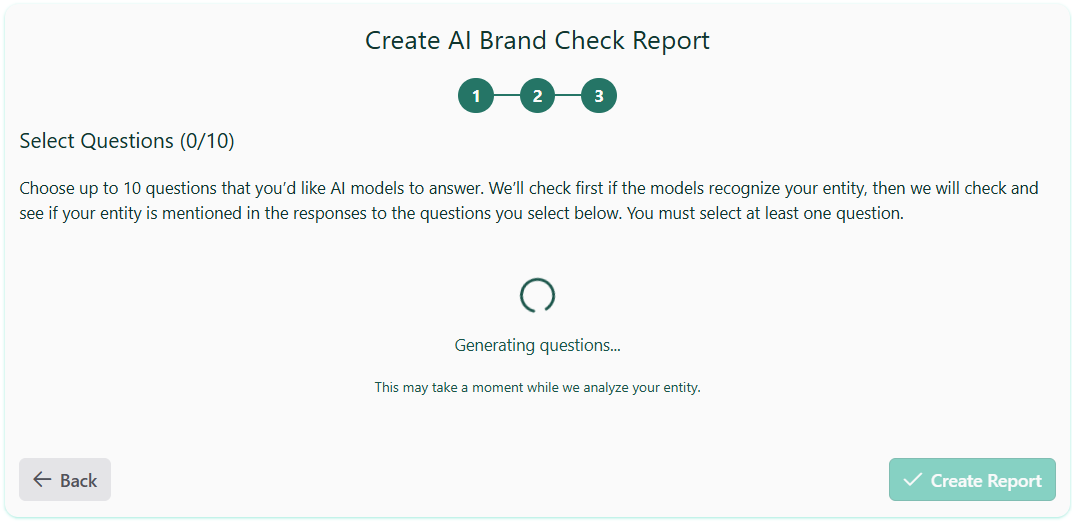
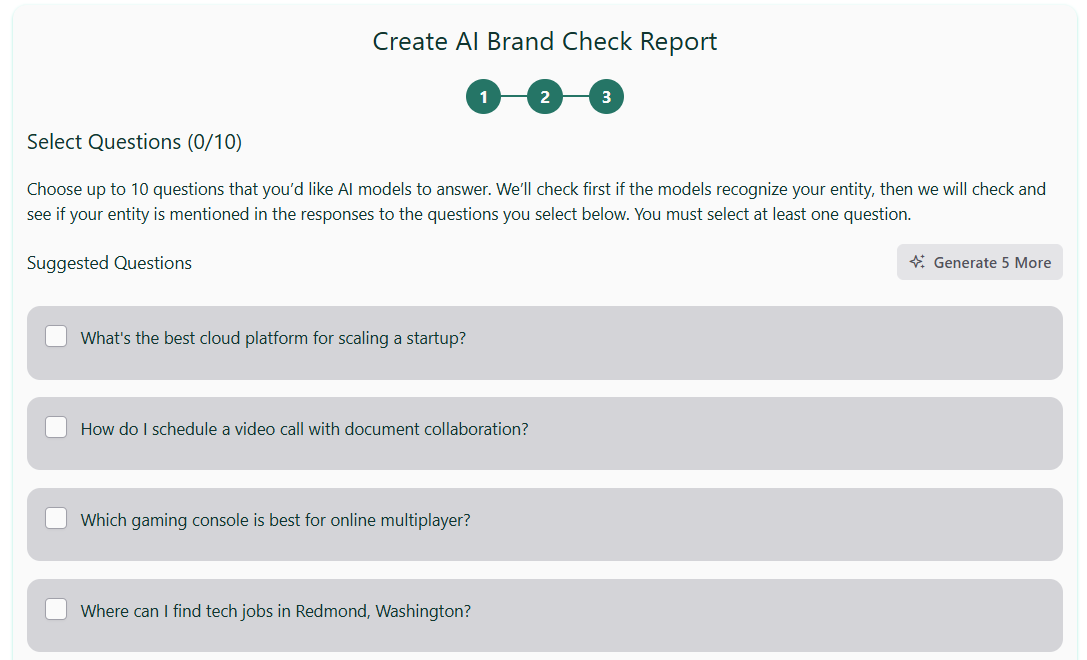
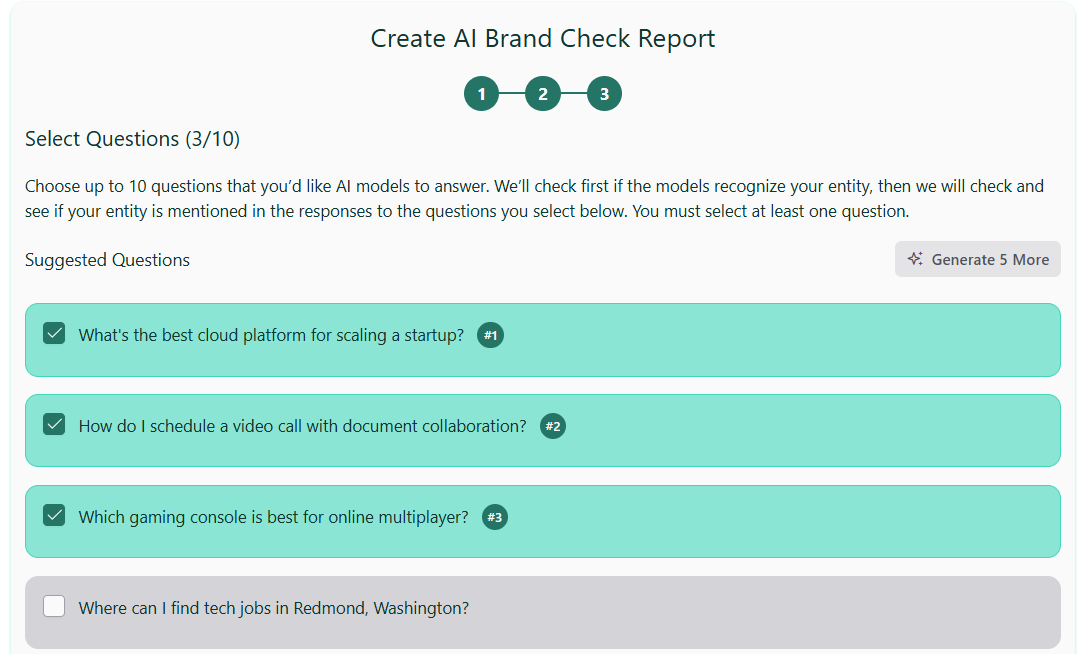
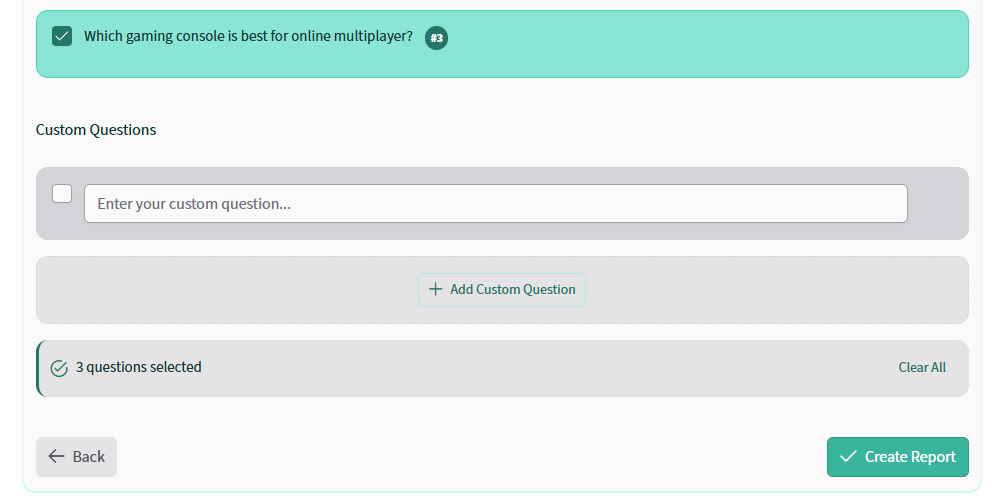
You can also enter your own custom questions by clicking on the “+ Add Custom Question” box.
Step 3: View Your Reports
Your reports list includes:
- Entity
- Questions
- Generated time
- GPR (Generated Prompt Results) score
- Actions:View Report, Re-Run, Fix it
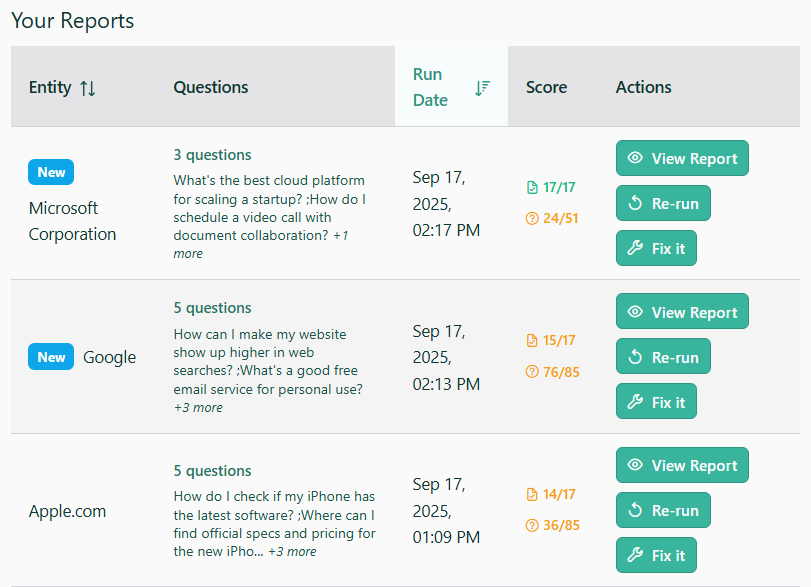
Click View Report to open the details.
Step 4: Explore the Report
Below is a sample report.
Each report is organized into four parts:
- LLM Recognition score
- Questions overview
- Competitive comparison
- Detailed results
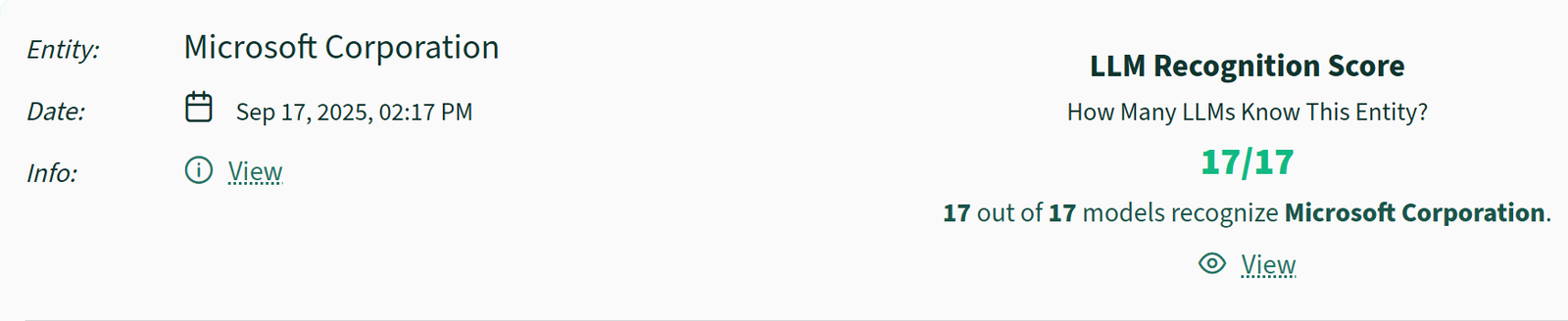
The first section is the LLM Recognition score. This shows how many chatbots/LLMs include your entity in their core training knowledge.
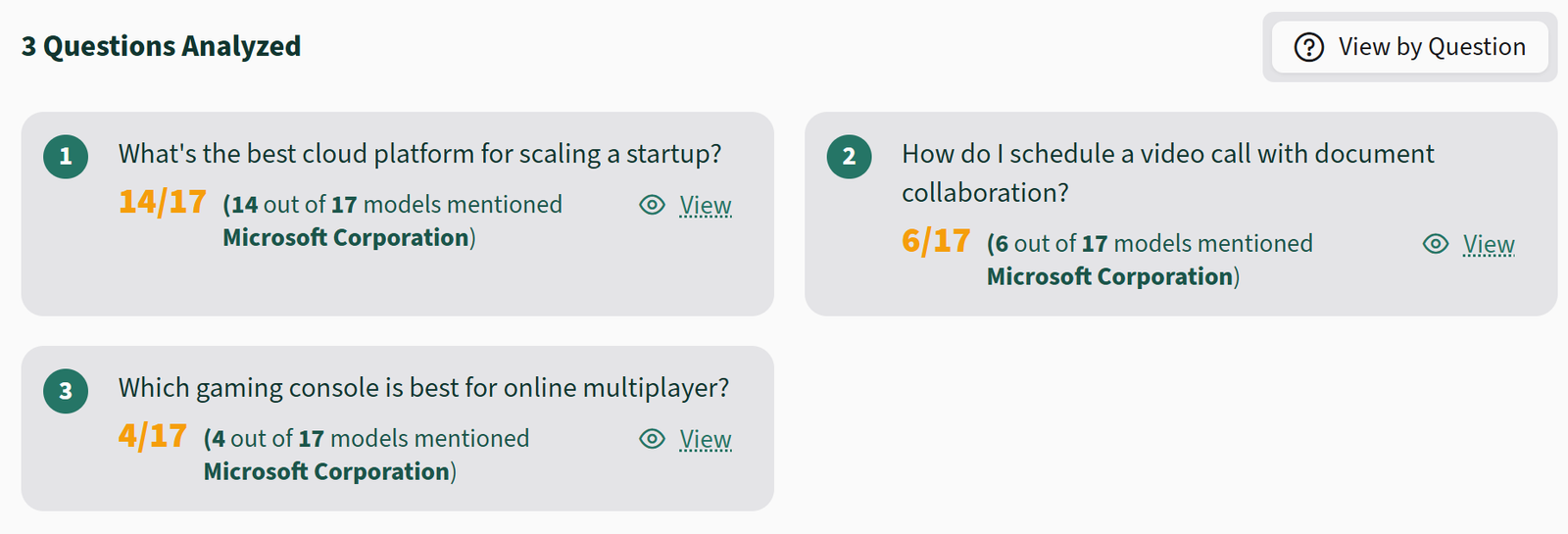
The second section is the Questions overview. For each selected question, see the AI results and how often your entity appeared in the answers.
The third section is the Competitive comparison. It is a chart that shows your entity (top row) and competitors across all questions:
- Whether each model’s core knowledge includes your entity (Yes/No)
- Per question: Mentioned or Not Mentioned
The next section is the Detailed Results.
Click any Mentioned/Not Mentioned cell to jump straight to that detailed answer, or scroll down to read them in order.
If the Entity is mentioned in the response, it will show as ‘Mentioned’. If it is not, it will show as ‘Not Mentioned’.

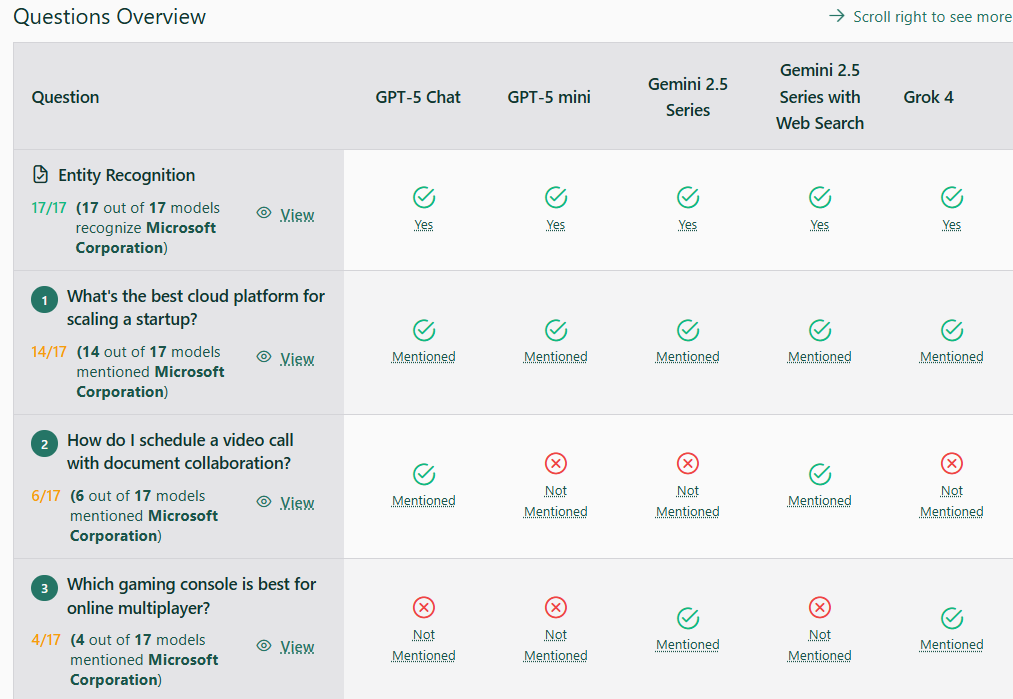
You can click on any of the ‘Mentioned’ or ‘Not Mentioned’ buttons and it will take you to that specific detailed answer, or you can scroll down.
Step 5: Share Your Report
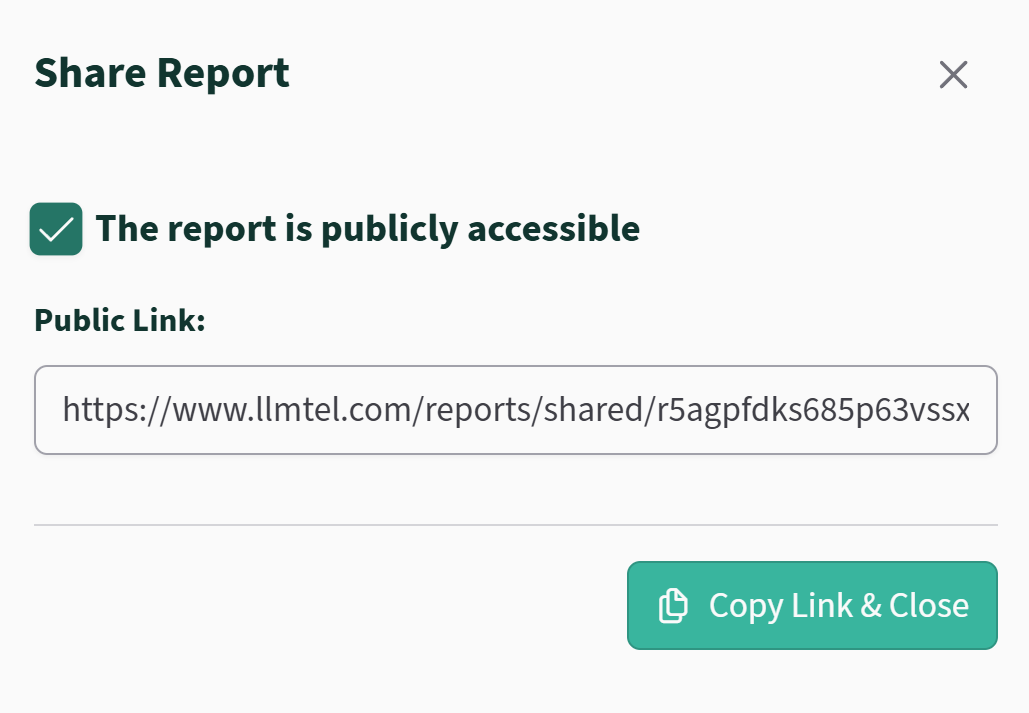
Each report comes with a public share link, so you can easily share your findings with your team, clients, or stakeholders no account required to view.
Why Use LLMtel?
- Comprehensive AI Audit: Test your presence across leading LLMs.
- Actionable Insights: Get guidance on how to improve AI brand visibility.
- Track Progress: Monitor changes and impact over time.
LLMtel helps you stay visible in an AI-powered world. Run your first audit and see what today’s AI already knows about you and what it should learn next
See Where You Rank in AI Search Engines
Products
Solutions
Resources
Company
Support
Legal

© 2026 LLMtel. All rights reserved.