
Features that make AI know your brand
Traditional SEO stops at links. LLMtel helps teams optimize for AI search, generative engines, and answer engines by measuring how AI understands and represents their brand. Get a clear AI visibility score, prioritized fixes, and ongoing monitoring to prove results.
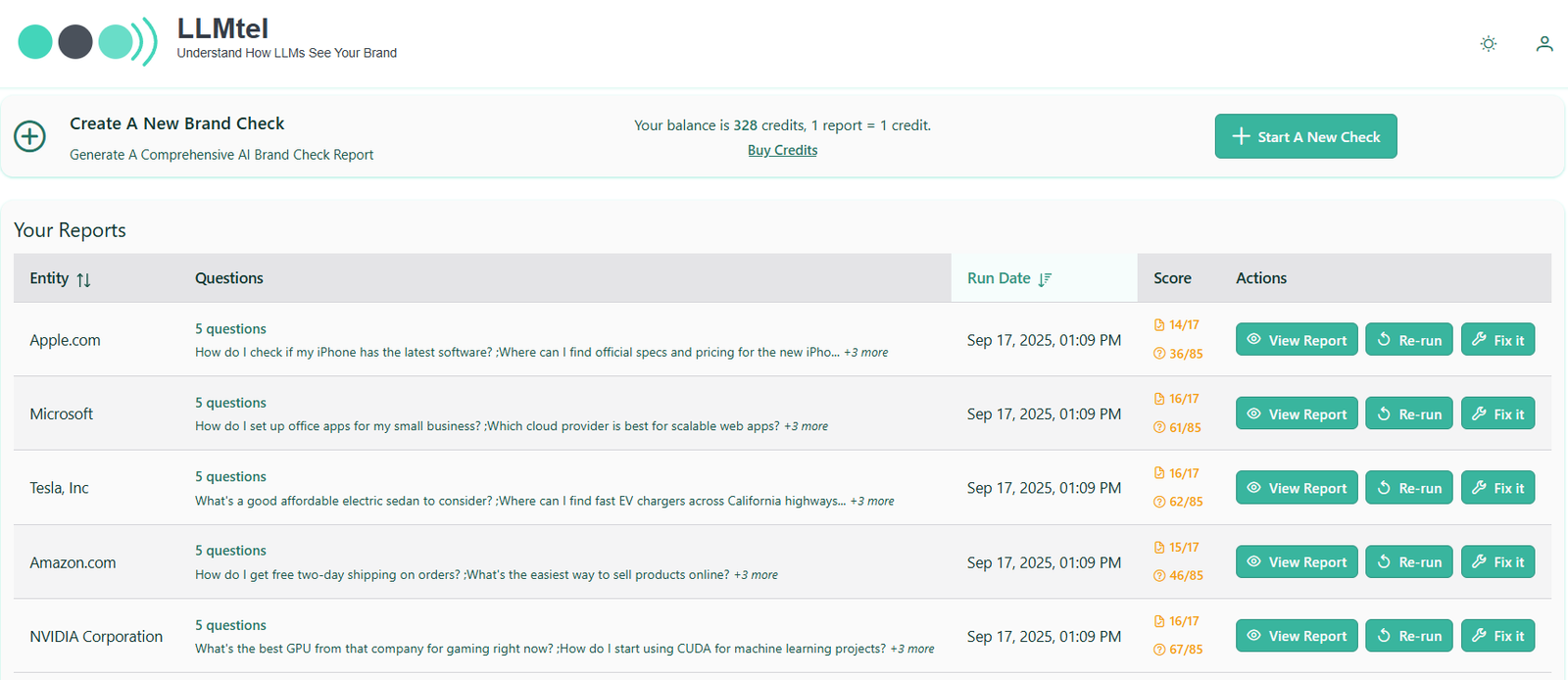
AI Visibility Tracking & Trends
Track how your AI visibility changes over time.
LMtel automatically re-runs AI Visibility Checks so you can track recognition, accuracy, sentiment, and competitive visibility across AI search engines and chatbots. See what’s improving, what’s slipping, and when it changed—without digging through raw data.
Click any trend to see the exact AI answers behind it and understand why visibility moved.
Key Points:
AI Visibility Score & metrics
One number the whole team can move.
Your AI Visibility score summarizes how well AI tools know and represent your brand. Supporting metrics show:
Use AI Visibility to set goals, prioritize fixes, and show progress after your next re‑check. (Deep dive: AI Visibility Score Explained in the Knowledge Center.)
Two cohorts for clarity: AI Core Knowledge vs AI Search‑Grounded
Compare apples to apples, even as models evolve.
We separate models into two cohorts:
This split keeps trends honest and helps you pinpoint what moved: facts added to your reference surface typically lift Core Knowledge; new coverage or distribution often moves Search‑Grounded first. Aggregations use provider weighting to reflect real‑world usage.
Validation, Sentiment & Competitive Positioning
Read results the way humans do.
LLMtel uses human‑aligned validation: we focus your source of truth to determine the accuracy of contradictions and hallucinations rather than rigid keyword lists, so accurate but concise answers aren’t unfairly penalized. You’ll also see:
Shareable reports
Make wins easy to show and ship.
Send stakeholders a link to an AI Visibility Check so they can see recognition, alignment, sentiment, and positioning without needing an account. Pair a before/after to prove lift, then move the program into an AI Visibility Monitor to keep the story going.
Scheduling & Alerts
Set it once, get notified when it matters.
Run Checks automatically (weekly, monthly, or custom). Receive alerts when a Monitor runs or when key metrics move beyond your thresholds, so you can fix issues fast and prove the recovery.
Tools
Compare LLMs See models side‑by‑side to understand answer differences and guide prompt/copy decisions.
Prompt Testing Tool Quickly test variations to refine how AI introduces your brand and products.
(These tools appear in your workspace after login.)
FAQ’s
A Check is one run; a Monitor tracks many Checks with trendlines and history. Monitors include scheduling and alerts. [App‑only]
Separating AI Core Knowledge from AI Search‑Grounded prevents browsing models from masking gaps in model memory and keeps comparisons stable as providers change.
Use the AI Visibility score plus supporting metrics, cohort splits, and a before/after. For ongoing programs, add a Monitor and include a trendline in your QBR. [App‑only]
Turn effort into evidence.
Products
Solutions
Resources
Company
Support
Legal

© 2026 LLMtel. All rights reserved.